
Features
From subscribing to understanding, in one window.
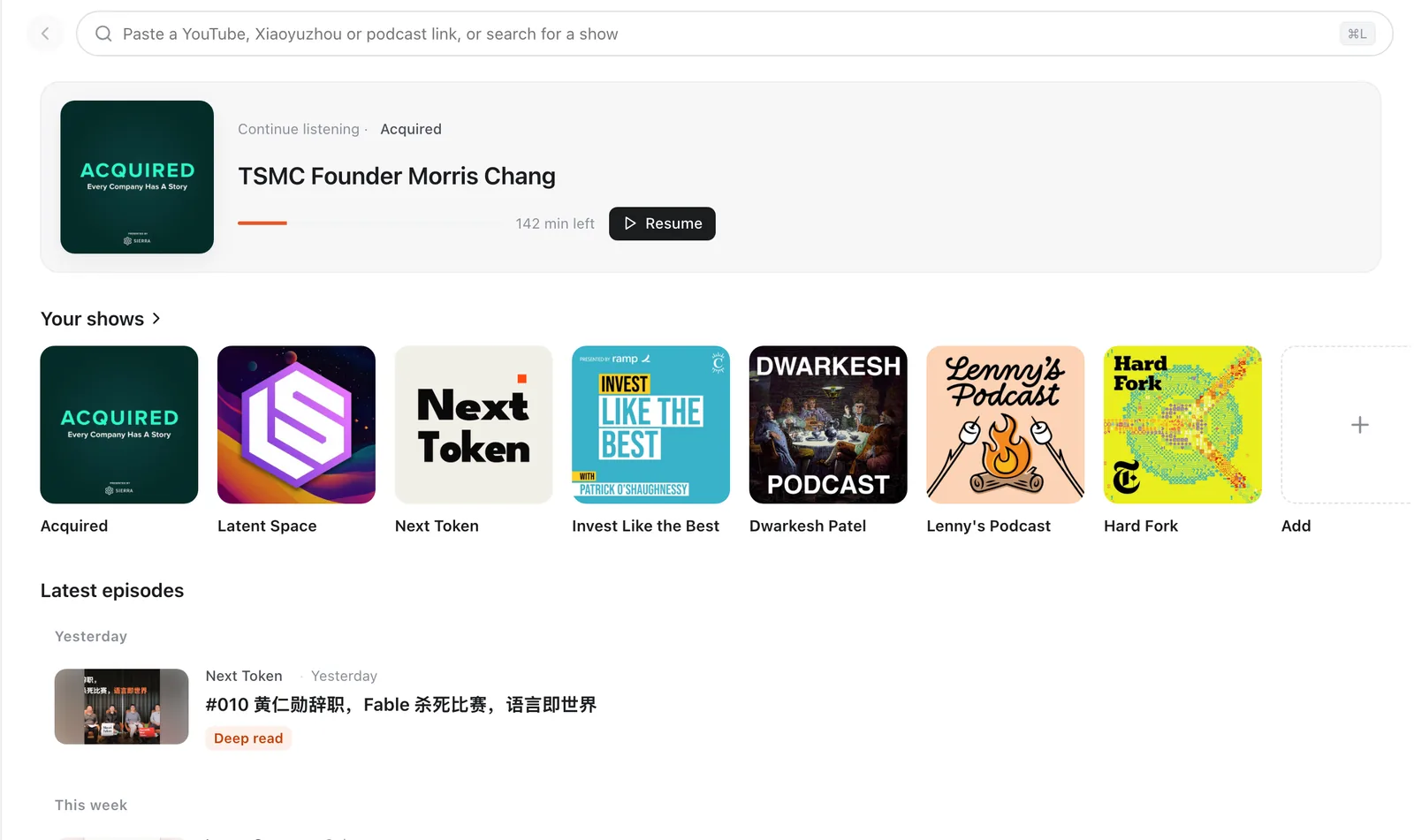
Subscribe to everything
One box accepts every source.
YouTube: channels, @handles, playlists and single-video links all work.
Search podcasts worldwide: type a show name in the top search box to search the Apple Podcasts directory, which lists public podcasts from around the world. Chinese keywords search the China store, others the US store.
Xiaoyuzhou works by link, and any RSS feed is accepted.
Subscribe to a Qiaomu deep-read channel (*.qiaomu.ai) and rewritten long reads appear in your list.
New episodes refresh automatically and the home view lists them by date.
Bilingual subtitles
Original and translation line by line, the current line highlighted, a click to seek.
Sources are picked by quality: manual YouTube captions first, then auto captions and RSS transcripts, and finally on-device or cloud transcription.
Translation uses free Google Translate by default; switch to your own model in settings.
Three display modes: bilingual, Chinese, original. Press C to cycle. Press ⌘F to search the whole transcript.
Select a line to copy it with source and timestamp, translate it, or turn it into a quote poster.

On-device or cloud transcription
Episodes without captions get transcribed anyway.
On-device transcription uses Qwen3-ASR 0.6B by default, about 1GB, downloaded on first use. Whisper models are available too, the smallest under 100MB.
With on-device transcription, audio never leaves the machine.
Cloud transcription works with Doubao, SiliconFlow, Groq, OpenAI, Zhipu, StepFun and self-hosted servers. Audio goes to the provider you pick and is billed by it.
AI chat and episode guides
Ask about the episode; timestamps in the answer jump back to that second.
Every [mm:ss] citation is clickable, so checking the answer against the original takes one click.
Switch models any time; quick prompts sit above the input.
The AI guide opens with a one-line summary, then a timeline, key points and notable quotes, so you know whether an episode is worth your time.
Bring your own key: DeepSeek, SiliconFlow, Kimi, Claude, OpenAI, OpenRouter, Gemini, local models in Ollama or LM Studio, and any OpenAI-compatible endpoint.

Deep reads and narration
Read an episode as a structured article, then listen to it read aloud.
Qiaomu deep-read channels rewrite long conversations into articles with headings, highlights and quotes.
Deep reads come with Doubao text-to-speech in a choice of voices.
Show notes are translated into Chinese automatically.

Discover
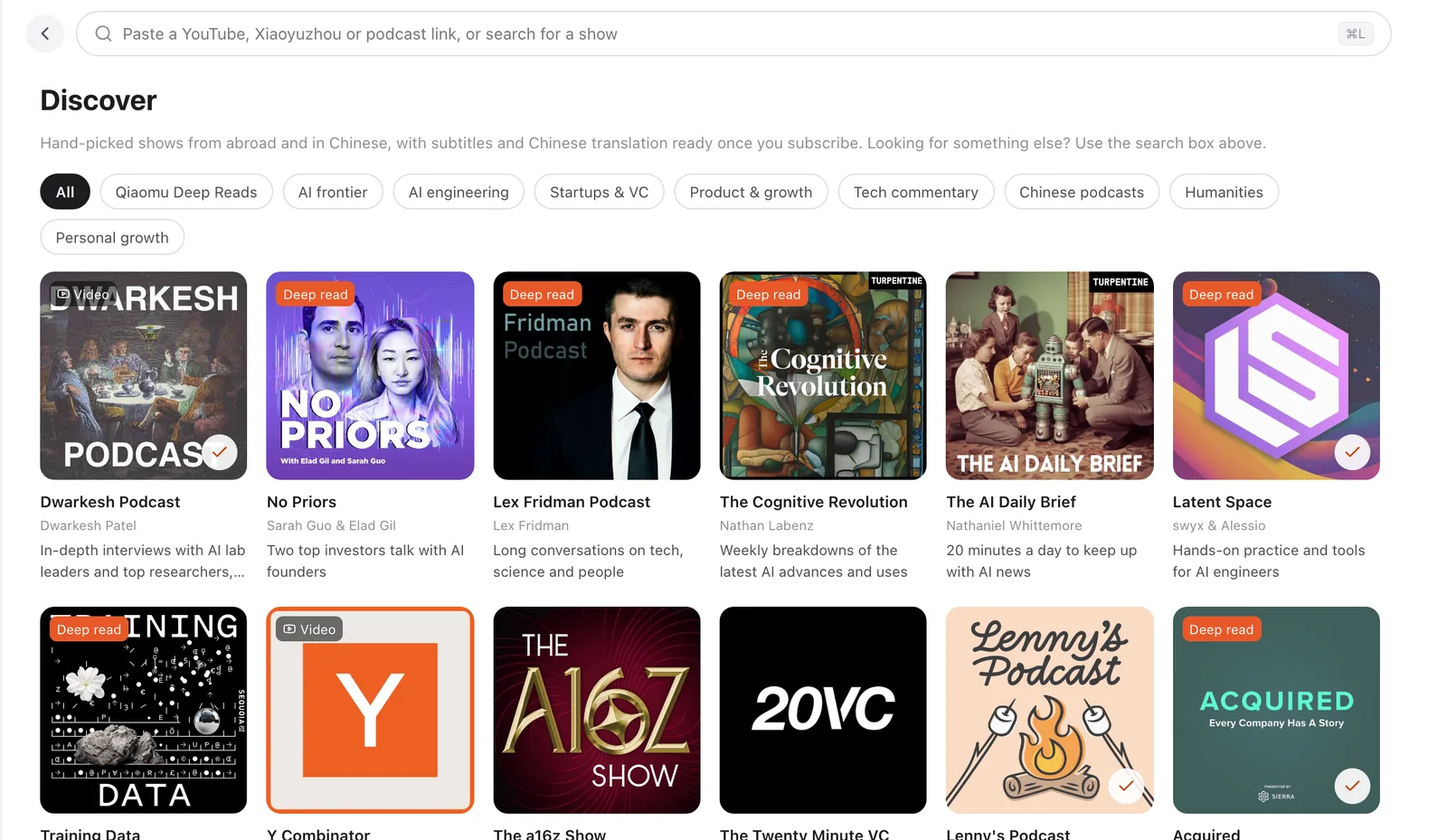
Not sure what to play? Start with the picks.
About 60 hand-picked shows across AI research, AI engineering, startups, product, tech commentary, Chinese podcasts and the humanities.
Click a cover to subscribe and start listening.
Selection tools
Keep the good lines when you hear them.
Copy a selection with its source and timestamp, translate it, or make a quote poster.
Offline listening
Keep listening when the network does not.
Download whole episodes to your computer for flights and subways.
Subtitles and translations keep working, and downloads can be managed and deleted inside the app.
Automatic updates
Install once and forget about it.
The app checks for updates about 10 seconds after launch, then every 6 hours.
The update manifest is signed and verified before anything installs.
Keyboard shortcuts
Finish an episode without touching the mouse.
| Space | Play / pause |
|---|---|
| ← / → | Back 15s / forward 30s, or 5s with Shift |
| ↑ / ↓ | Jump to the previous / next subtitle line |
| C | Cycle subtitle mode: bilingual, Chinese, original |
| S | Cycle playback speed |
| ⌘F | Search the transcript |
| ⌘L | Focus the search and subscribe box |
| ⌘B / ⌘\ | Toggle the sidebar / subtitle panel |
| ⌘, | Open settings |
Letter and arrow keys do nothing inside text fields. On Windows, use Ctrl instead of ⌘.
Four interface languages
Simplified Chinese, Traditional Chinese, English and Japanese, covering the menus, settings and every panel.
Where it works
Installers exist for macOS (Apple silicon and Intel, signed and notarized) and 64-bit Windows 10/11. Linux has AppImage and deb builds with less testing. Listening to YouTube needs a network that can reach it.